
Lead CRM
Every lead, every source, one CRM.
Google, Meta, affiliates, calls, and WhatsApp all land in one list. See which source really brings customers, follow up automatically, and run your whole team from one place.
- 9 ad platforms recognized
- Affiliates on their own links
- Calls and WhatsApp included
Watch how it works · 1:42
Leads arrive from
- Google Ads
- Meta Ads
- TikTok Ads
- Microsoft Ads
- LinkedIn Ads
- X Ads
- Snapchat Ads
- Reddit Ads
- Pinterest Ads
- Affiliates
- Calls
- Webhooks
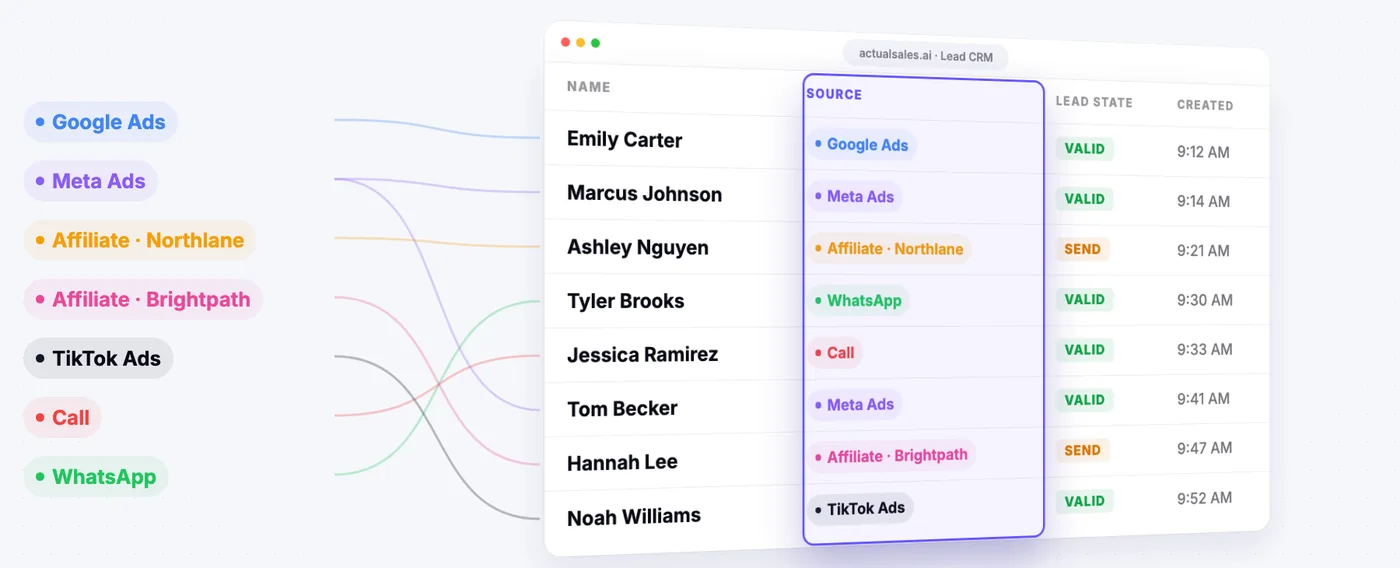
Every source
All your leads in one list
Search ads, Meta lead forms, affiliates, calls, and WhatsApp land in the same place, each tagged with where it came from. No more exporting from five tools to see what happened this week.
- Landing page forms and Meta Lead Ads
- Calls from AI agents and call-tracking platforms
- WhatsApp conversations and inbound webhooks
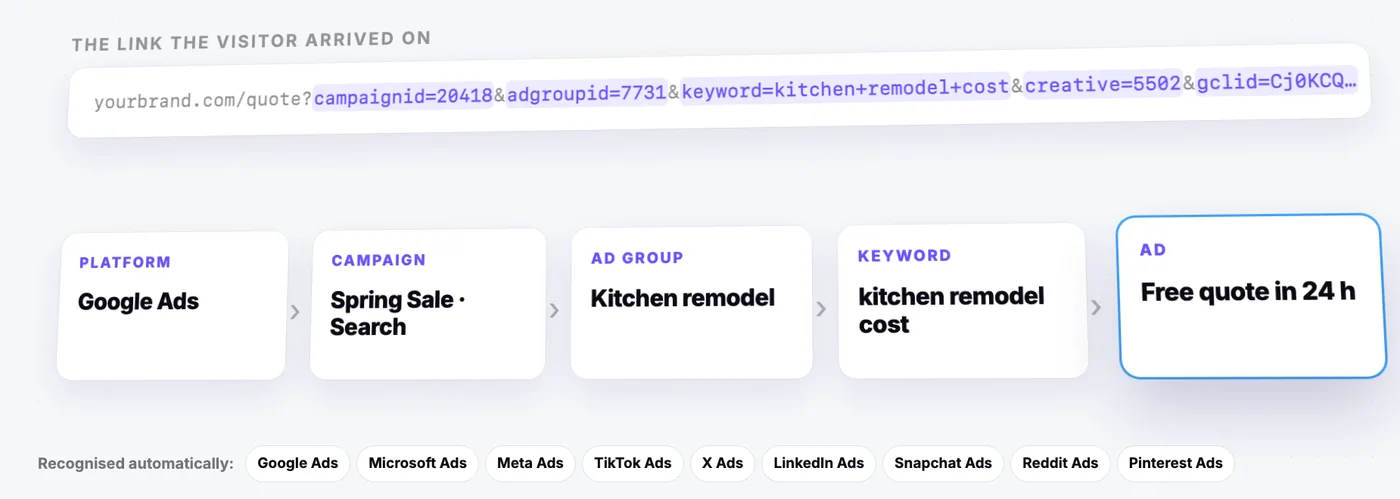
Attribution
Know the ad behind every lead
Paid traffic is recognized the moment it arrives: the platform, the campaign, the ad group, the keyword, and the ad. Nothing to tag by hand.
- Nine ad platforms recognized automatically
- Detail down to the keyword and the ad
- Each affiliate on its own tracking link, never mixed with your traffic
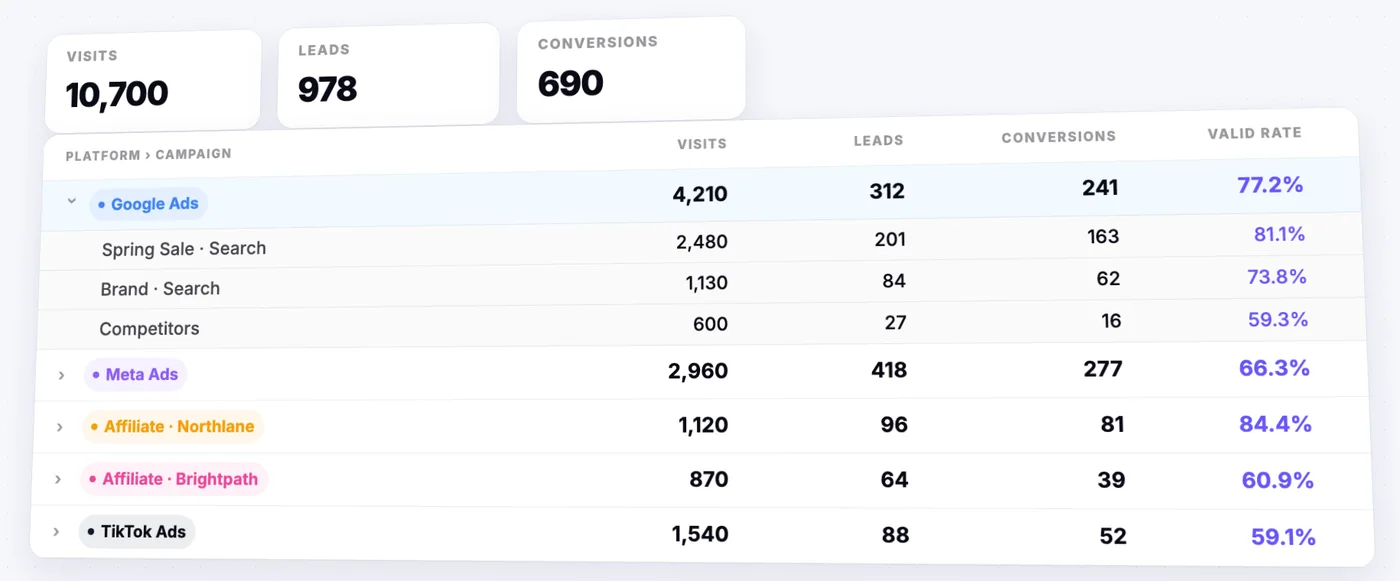
Reporting
See which source really pays
Compare sources the way an ads account does, platform by platform and campaign by campaign. A conversion always means a lead that was accepted, not a form that was sent, so the comparison is fair.
- Visits, leads, conversions, and valid rate for every source
- Drill from platform to campaign, ad group, keyword, and ad
- Reject a lead and it drops out of that source's count
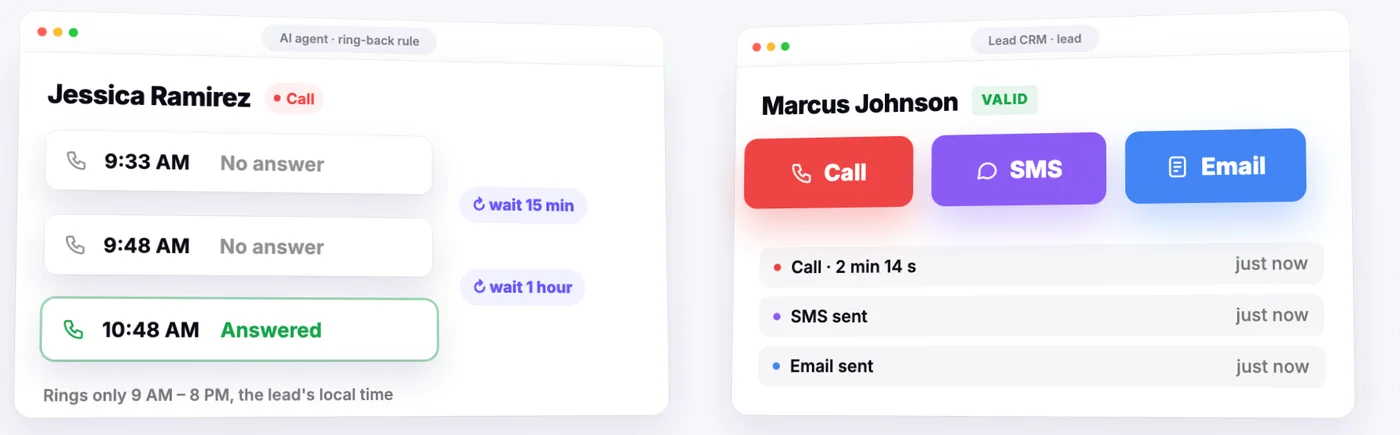
Follow-up
No lead left waiting
When nobody answers, the AI agent rings back by your rules. Your team can call, text, or email straight from the lead's row.
- Ring-backs with the waiting times you set
- Only during the lead's local daytime
- Every attempt saved on the lead
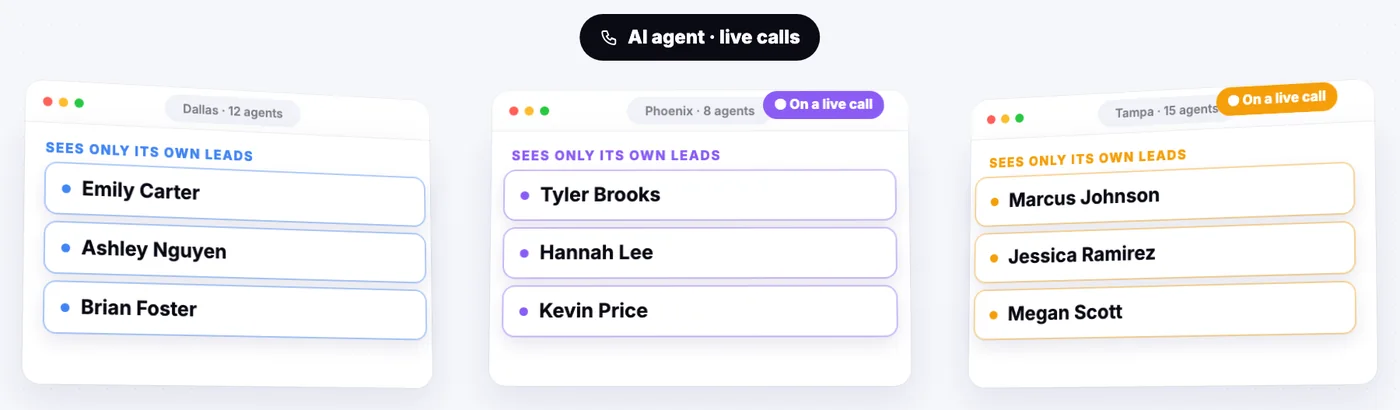
Teams
One CRM for every team
Run several call centers on the same CRM. Each one sees only its own leads, live calls are shared across them, and every user gets a role.
- Each call center works only its own leads
- Live calls go to the team that is performing best
- Four roles, from view only to full access
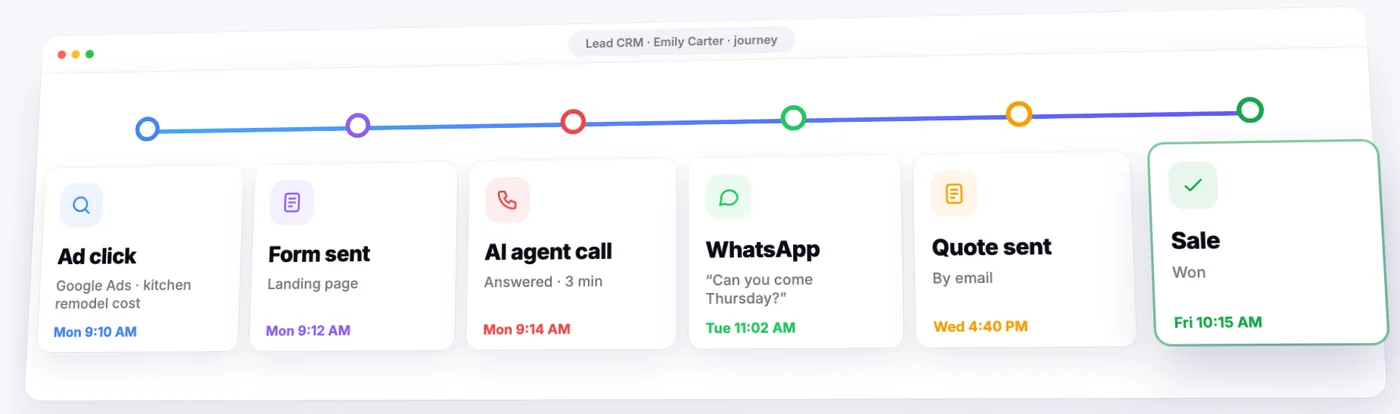
Lead journey
The whole story of every lead
Open a lead and see everything that happened to it, in order, from the first click to the sale.
- The ad, keyword, or affiliate it came from
- Call recordings, transcripts, and AI summaries
- WhatsApp, SMS, and email on one timeline
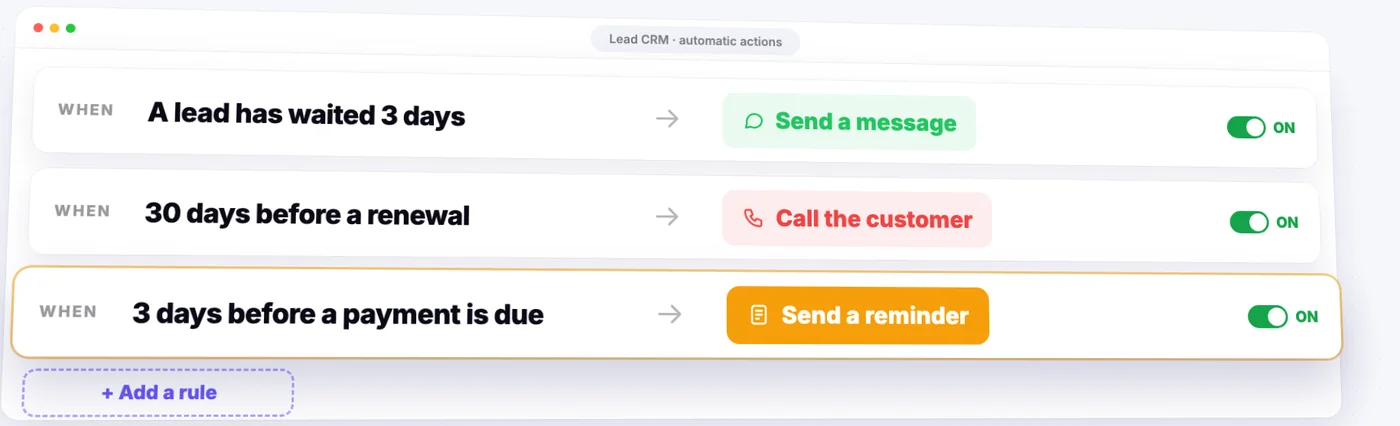
Automation
A CRM that acts on its own
Set a rule once, a condition and what to do when it is met, and it runs for every lead it applies to.
- A message when a lead has waited too long
- A call before a renewal
- A reminder before a payment is due
9
ad platforms recognized automatically
5
ways for a lead to come in
4
user roles, from view only to full access
1
definition of a conversion, on every source
And the rest your sales team needs
Your own states
Set the sales states your process uses, such as called, quote sent, or won, and move each lead through them.
Export anytime
Download the leads you have filtered as CSV or Excel, with the fields you choose.
Works with your CRM
Send leads on to Salesforce, HubSpot, or another system when they reach a status you pick.
One view per brand
Leads are kept per brand and product, so one client never sees another's.